Custom Business Cards: Everything You Can Customise
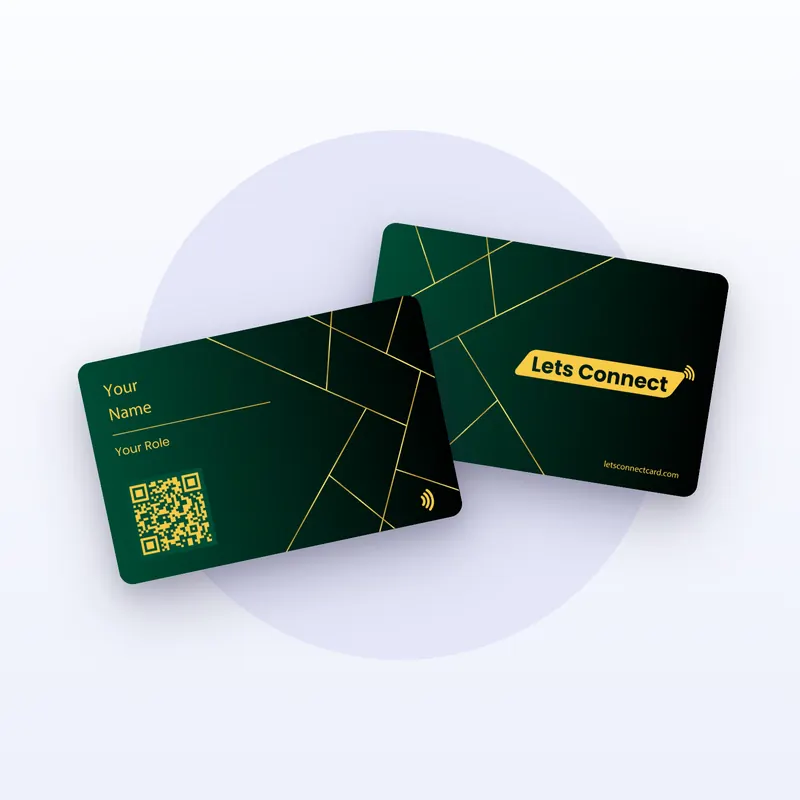
By Business Cards Store Editorial Team | Published | Updated | Buying guides
"Custom" can mean anything from a name on a template to a card designed from scratch. Here it means a set of clear choices, each made on the card page before checkout. This guide lists every one, what it costs, and whether you can change it after the card is printed.
The short version
| Element | How to customise | Add-on price | Can it change later? |
|---|---|---|---|
| Name and role | Enter them on the card page | Included | No, printed |
| Material | PVC, bamboo or metal | Price step shown per material | No |
| Colour | Choose one of the material's colours | Included | No |
| Logo | Add Logo add-on | £20 (UK) | No, printed |
| Full design | Fully Custom Design add-on, upload front and back artwork | £30 (UK) | No, printed |
| Partner branding | Remove LC branding add-on | £20 (UK) | No, printed |
| Simple or QR version | Choose on review and social cards | Shown per version | No |
| Profile | Edit in your dashboard | Included with the plan | Yes, any time |
| Link on review and social cards | Editable URL add-on | £5 a year (UK) | Yes, with the add-on |
Add-on prices are shown for the UK store. Every store shows its own prices on the card page, and stores marked "Price on request" give a quote.
What to have ready before you start
Customising takes a few minutes if you gather these first.
- The name to print, exactly as you want it, with capitals and accents.
- Your role or job title, in its shortest clear form.
- Your logo, as a clean image file. If you will use a dark card, have a light version too.
- Your own artwork, if you are using the Fully Custom Design add-on, for both front and back.
- Your brand colours, so you can pick the closest card colour.
- Your contact details and links for the profile: phone with country code, email, website and social profiles.
- For review and social cards, the exact link the card should open.
Having these ready also makes the proof faster to check.
1. Name and role
You enter the name to print on the card page. Every order needs one before the card goes into the basket. Keep it short enough to read at arm's length. A long job title can go on your profile instead, where there is room for it.
This is the one detail that matters most on the proof. Once the card is printed, the name and role can't change.
2. Material and colour
Three materials, each with its own colours:
- PVC: Black, Green, Brown or Blue.
- Bamboo: White bamboo or Original bamboo.
- Metal: Black & Gold or Black & Silver.
All three are 85.6 × 54 mm (see our standard business card size guide) with an NTAG215 NFC chip and a printed QR code. In the UK, PVC with the Brand Presence plan is £49, bamboo £99 and metal £149. Read PVC vs bamboo vs metal compared if you are undecided.
3. Your logo
The Add Logo add-on prints your logo on the card. It costs £20 in the UK. Think about contrast. A dark logo works best on White bamboo; on black PVC or metal, use a light version.
4. Your own design
The Fully Custom Design add-on lets you upload your own artwork for the front and back. It costs £30 in the UK. Choose it if:
- you already have a card design from a designer or brand guide;
- you want a second language on the back;
- you need a layout the standard design doesn't offer.
You choose Add Logo or Fully Custom Design, not both, because your own design already includes whatever logo you put in it. Make sure the artwork leaves room for the QR code, and check the proof carefully: what you approve is what is printed.
5. Partner branding
The Remove LC branding add-on takes the platform partner's mark off the card. It costs £20 in the UK. Choose it if you want only your own name and mark on the card. It is a common choice with metal cards and with custom designs.
6. Simple or QR version
Business cards always have both an NFC chip and a printed QR code, so there is nothing to choose there.
Review and social cards come in four versions. Simple is tap only, with no printed QR code. With QR adds a printed code. With Name + QR adds your name as well. Name + QR + No Branding adds your name without the partner's mark. Each version shows its price on the product page.
A tip for choosing: if your customers mostly meet you in person, the QR code helps people whose phones don't read NFC. If you mostly want a tap at a counter, Simple is enough.
7. The profile
The profile is the part of your card you can keep customising. It holds your details, social links, documents, a gallery and more, and you edit it in your dashboard at any time. Change a phone number, a job or a website, and every card you have already handed out shows the new details. No reprint needed.
The plan you choose sets what the profile can do. Brand Presence covers the profile itself. Business Add-ons adds tools such as bookings, forms, a CRM and export. Brand Presence is paid once.
8. The link on review and social cards
Review and social cards open one link, such as your Google review page or your Instagram profile; see how Google review cards work and Instagram, TikTok and LinkedIn cards compared. Without an add-on, that link is fixed when the card is programmed. The Editable URL add-on, £5 a year in the UK, lets you change it from your dashboard.
What can't change after printing
- The name and role printed on the card.
- The logo or design printed on it.
- The material and colour.
- Whether the partner branding is printed.
What can change, at any time, is the profile behind the card, and on review and social cards with the Editable URL add-on, the link.
That is why the proof matters. Our business card proof checklist lists what to check before you approve.
Common customisation mistakes
A few choices cause most of the problems with custom cards.
- Too much text. A card the size of a bank card has room for a name, a role and a logo. Everything else belongs on the profile.
- A dark logo on a dark card. Black PVC and both metal cards need a light logo.
- A long, changing job title. It can't change after printing. Use a short, stable form.
- Artwork that crowds the QR code. Leave clear space around it so phones can read it.
- Skipping the profile. The card opens it. An empty profile wastes a good card.
- Approving the proof too quickly. Read every line, slowly, before you approve.
Ordering custom cards for a team
Each person gets their own card, with their own name and role and their own profile (see how many business cards to order). Put every card in one basket. Use the same logo or the same custom design for consistency. Mix materials if you like: PVC for most staff and metal for senior roles is common. For a large team, contact us before you order.
How ordering works
- Choose material, colour, plan and add-ons, and enter the name to print.
- Check out. Any delivery charge is shown at checkout before you pay.
- We send a digital proof. Production starts only after you approve it.
- Timing is confirmed after you order.
- Edit your profile whenever your details change.
Because cards are printed with your details, personalised cards are excluded from change-of-mind returns. Faulty cards are covered by our Refund & Returns policy.
Frequently asked questions
Can I upload my own design?
Yes, with the Fully Custom Design add-on. You upload artwork for the front and the back, and you check it on the digital proof before printing.
Can I have both Add Logo and Fully Custom Design?
No. You choose one. A custom design already includes whatever logo you put in it.
Can I change my name or job title after printing?
Not on the printed card. You can change the profile at any time, so many people keep the printed title short and put the detail on the profile.
Which finishes can I choose?
You choose the material and colour. We don't offer separate print finishes as options; our guide to business card finishes explains the difference.
Can I remove the partner branding?
Yes. The Remove LC branding add-on takes the platform partner's mark off the card.
Do custom cards still have a QR code?
Yes. Every business card has an NTAG215 NFC chip and a printed QR code. If you upload your own design, leave room for the QR code.
Can I use a different design for each person in a team?
Yes. Each card is a separate item in the basket with its own name, material, colour and add-ons. Most teams keep one design for consistency.
Keep reading
Browse all buying guides, read our proof checklist and where to buy business cards, or see every business card.